# Payment services
Test cards, Postman collection and sandbox features for accepting payments, payouts to cards, tokenization, two-stage payment, recurrent and refunds.
# Test cards
Card data for all payment requests in a test (sandbox) environment.
| Parameter | Value | Comment |
|---|---|---|
| Validity period | Any | Later than the current month in MM/YY format |
| Card Holder Name | CARD HOLDER | |
| CVV | 123 | |
| Card number | 4929509947106878 | To simulate successful transactions without 3DSecure |
| Card number | 4692065455989192 | To simulate successful transactions with 3DSecure |
| Card number | 4485913187374384 | To simulate unsuccessful transactions without 3DSecure |
| Card number | 4556058936309366 | To simulate unsuccessful transactions with 3DSecure |
| Card number | 5192618384533242 | To simulate interactive payment with forced transfer of the card to payout-only |
# Collection for Postman
To make the process of testing and familiarizing yourself with the capabilities of the payment API more convenient, we have prepared collections for Postman. To work with them you need to go through the following steps:
Download and save the collection mandarin_api (opens new window) as a file.
Install and run the program Postman (opens new window).
Import the collection
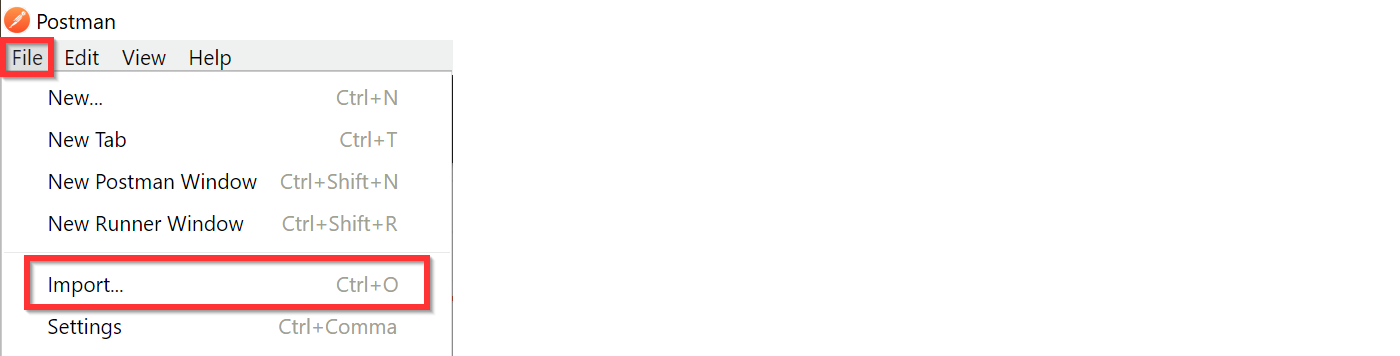
mandarin_api.postman_collection.jsonby selecting "File" -> "Import..."
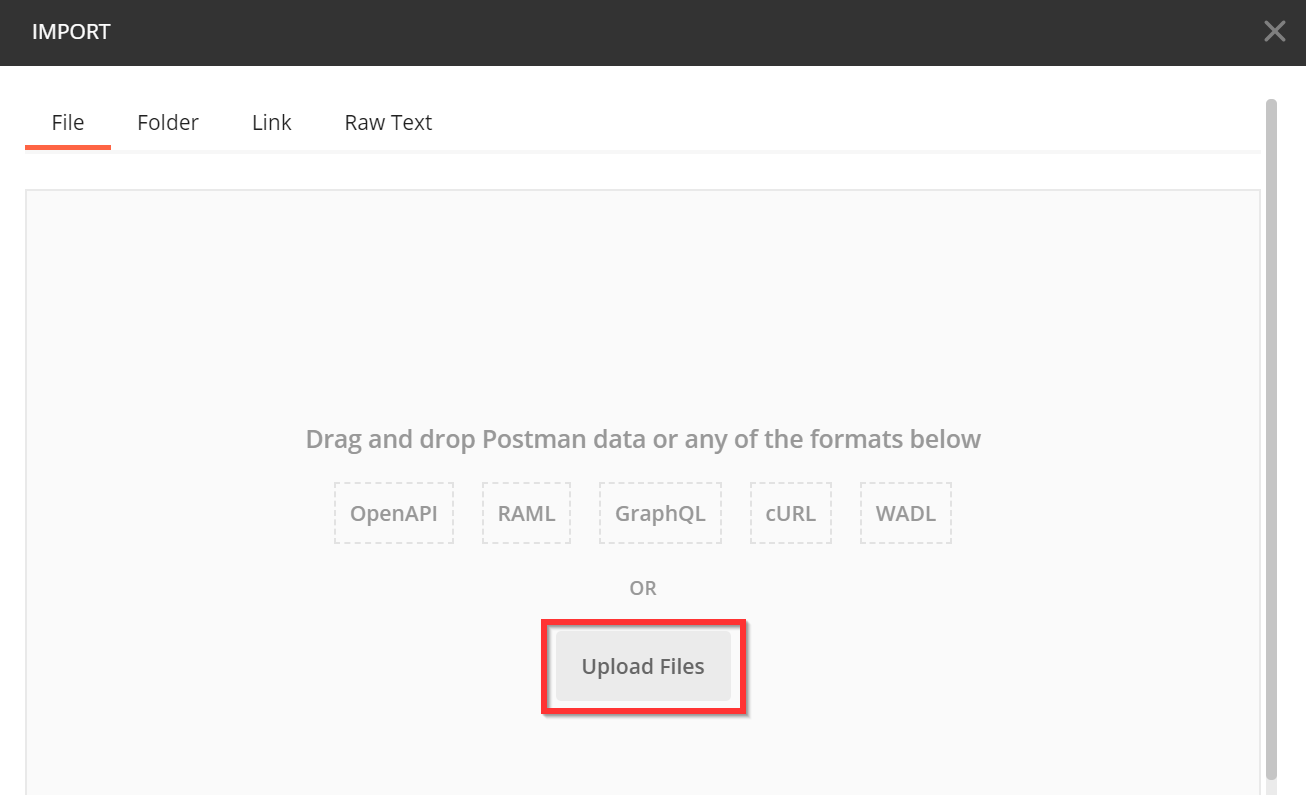
Then click on the "Upload Files" button and select the saved collection file.
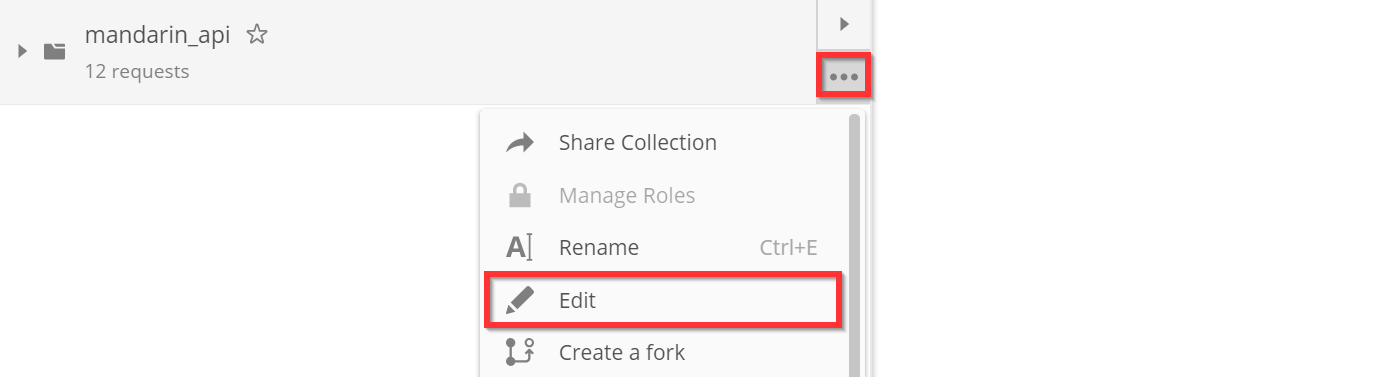
- Register your authorization data in collection variables. To do this, click on the “breadcrumbs” next to the collection name, then select the “Edit” menu item.
In the window that opens, you need to go to the "Variables" tab and write next to the variablesmerchant_idAndsecret"Merchant id" and "Secret" values from your personal account.
If you enter authorization data from a test personal account, the transaction will be performed in a test (sandbox) environment, and if from a production environment, then in a production environment.
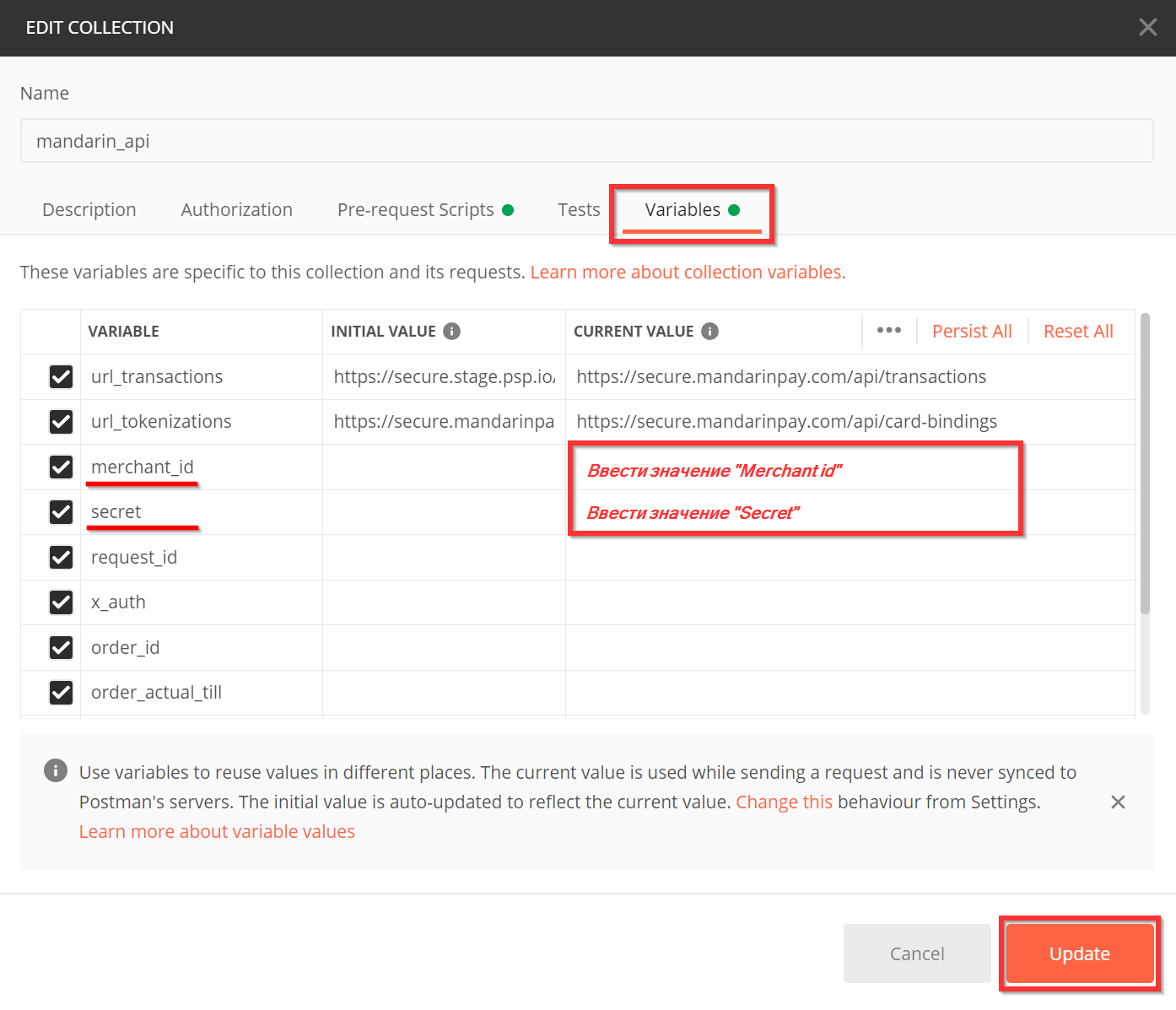
Finally, you need to save the changes with the "Update" button.
- You can send requests!
We recommend running them in order (by clicking on the "Send" button). However, some queries have a prefix with an exclamation mark in their names:
- ! One-step payment.
- ! Two-stage payment - Authorization.
- ! Tokenization of complete card data.
To successfully complete such requests, you need to open the link in the browser, which will be returned in the response parameteruserWebLink. Otherwise, some subsequent queries will fail because their results are referenced.
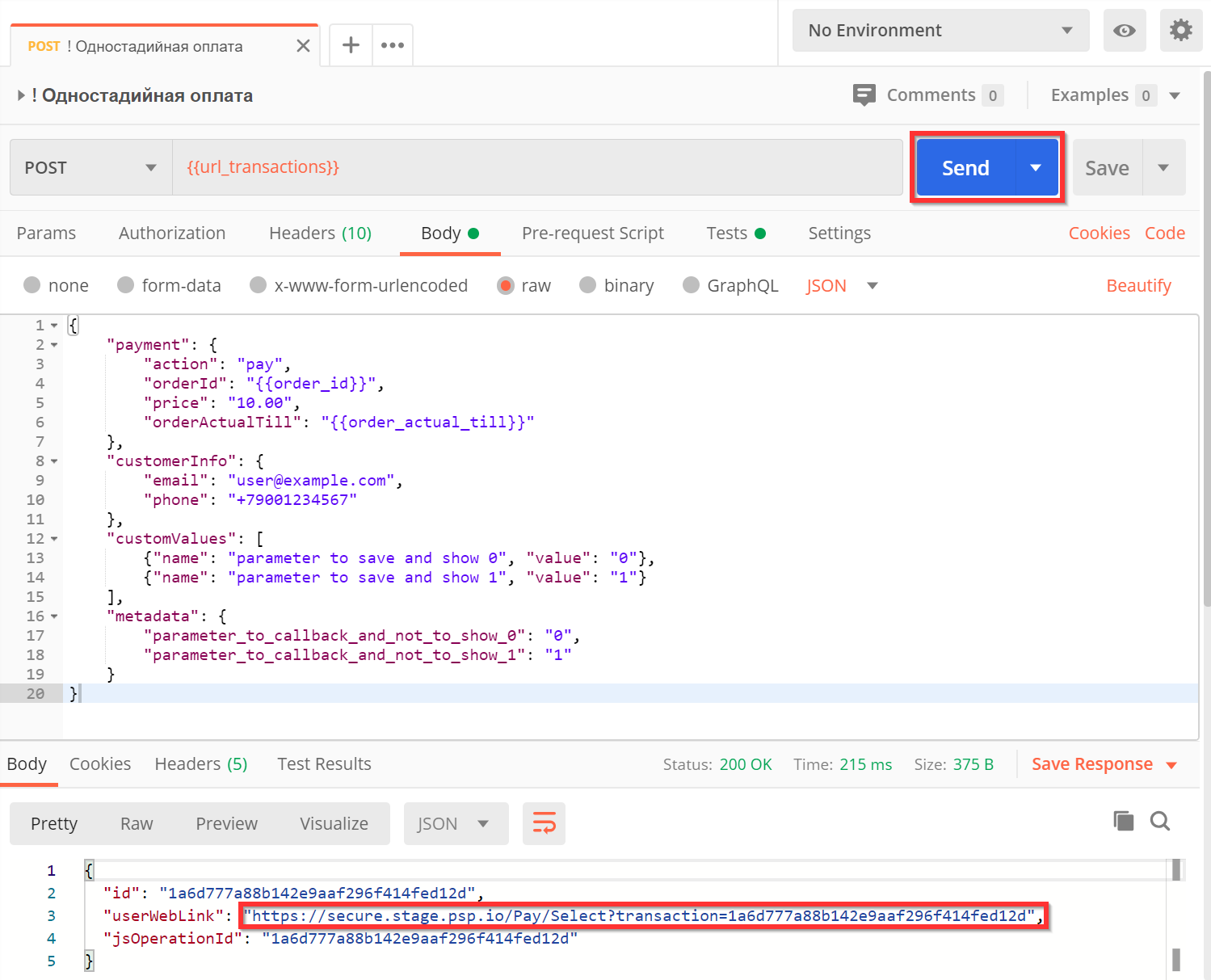
- Open the link in your browser
userWebLink.
You will need to enter your card details:
For test environment: use card number
4692065455989192for a successful operation, the remaining data is any.For a combat environment: enter the details of your real map. In this case, funds will be debited from her.
Then click on the "Payment" button.
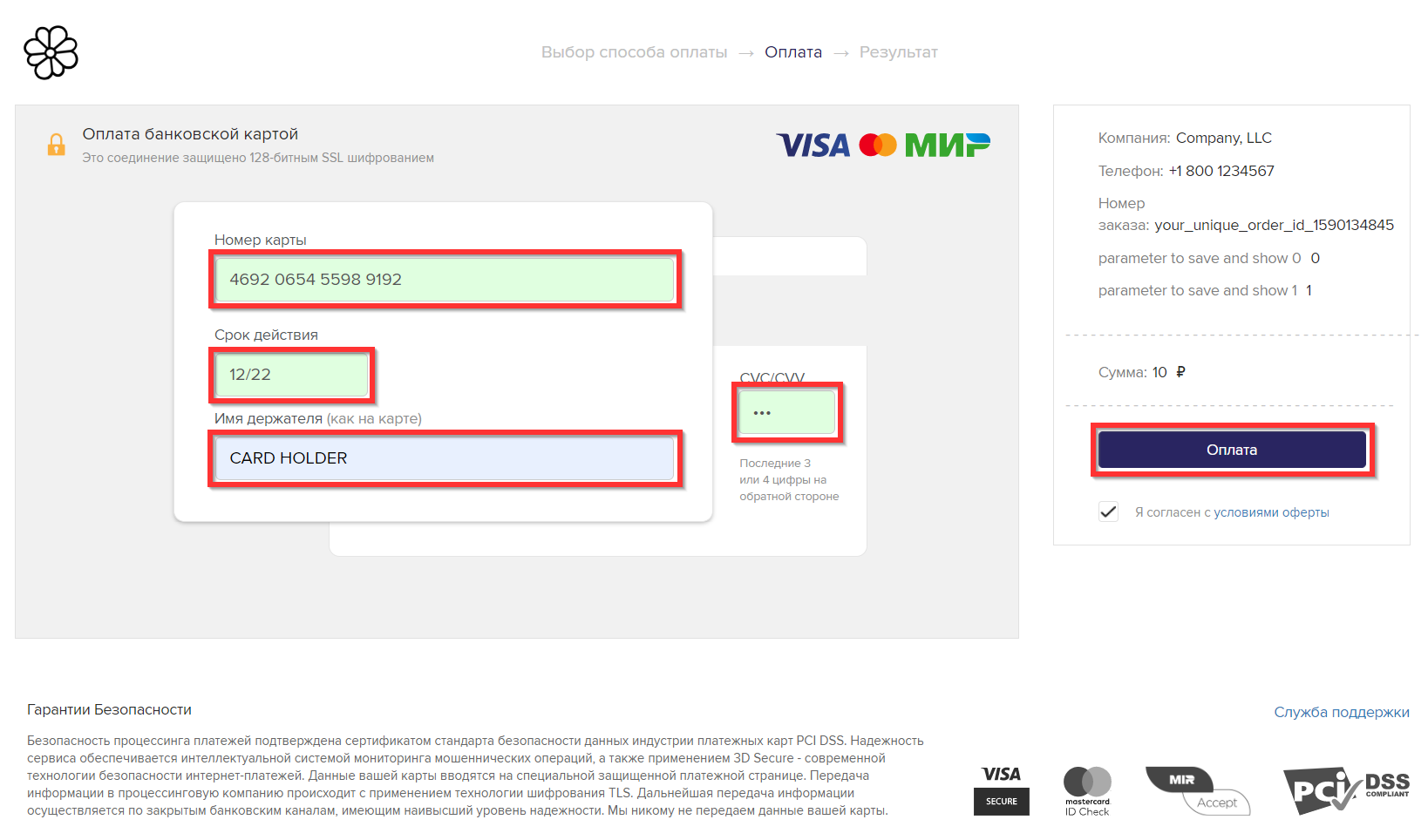
If you requested tokenization, then the process is complete.
If you made a payment, a page with a successful payment status will open.
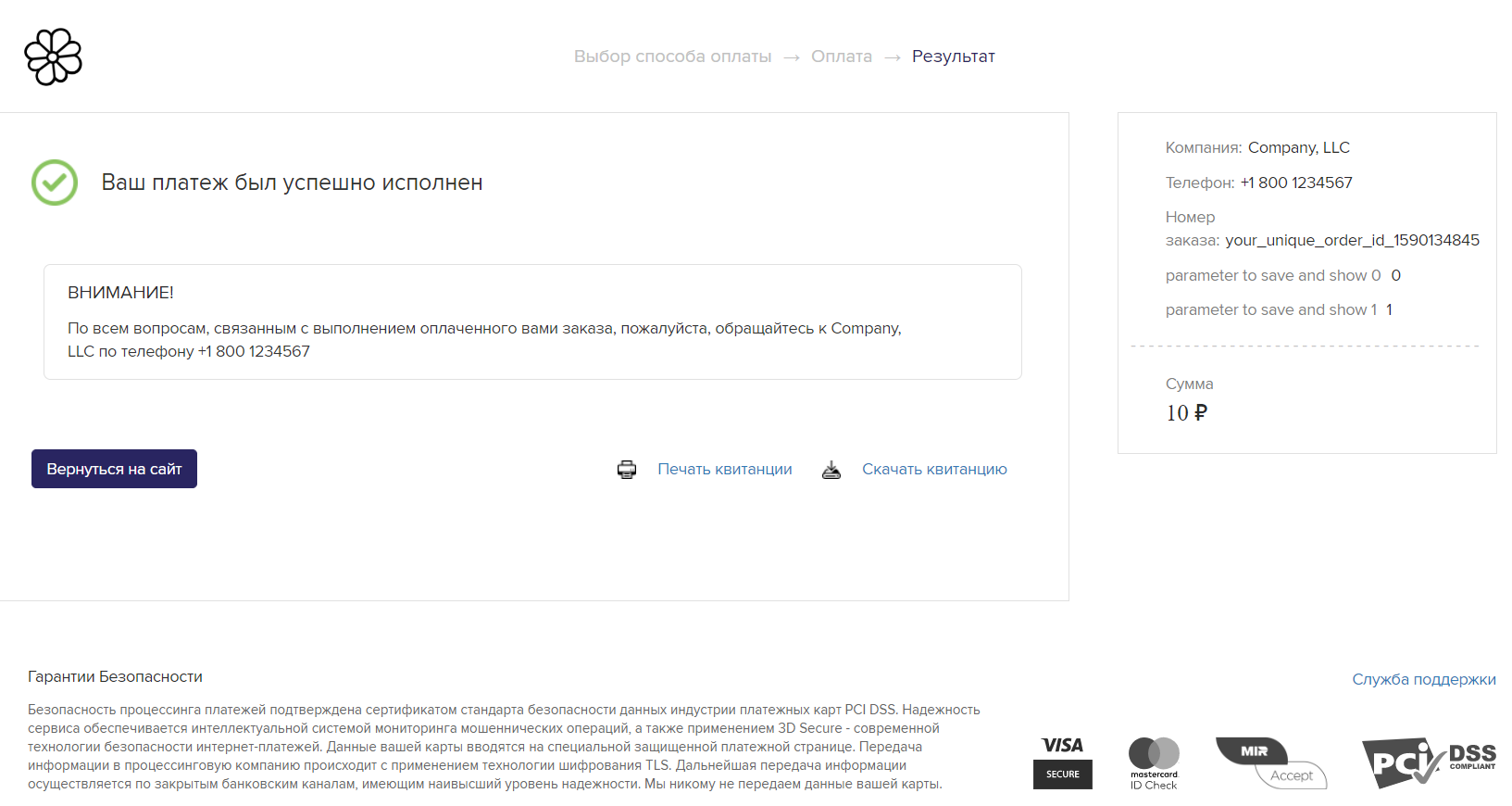
The test terminal does not support authorization using a card token. Therefore, the request "% Two-Step Payment - Authorization using a card token" will be unsuccessful. You can discuss the possibility of authorization using a card token with your manager when opening a combat terminal.
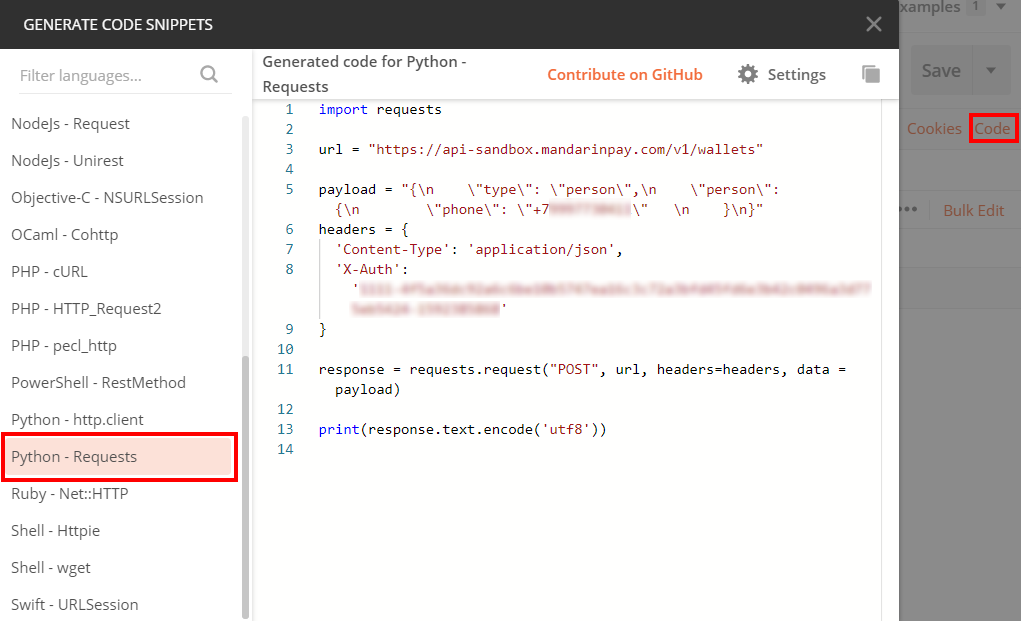
If you are satisfied with the result of the request in Postman, then you can easily generate code for sending this request in any programming language using Postman.
To do this, click on the "Code" button on the right side of the window (as in the figure below). In the window that opens, select a programming language and copy the source code.
# Checking balance for payments
The method allows you to obtain information on the balance of funds in the account for payments.
Authorization - OAuth 2.0 (Bearer). Required scope: pay_bank_account_balance.read, which must be requested during authentication.
Request
curl --request GET \
  --url https://api.psp.io/balance/v3/client/{client_id}/balance \
--header 'Authorization: Bearer {{access_token}}'
As a value{client_id}you need to pass your client id.
For more information about the response format, see the Method for requesting balance.